Having a website that looks amazing but confuses visitors is a problem we see all the time. When you build a business and develop your own website, you become so close to it that you sometimes forget to look at it from the customer’s perspective. You already know what your company does, what your services mean, and why your products are great. Naturally, you assume everyone else will understand them, too.
Trust me, we’ve all been there.
I remember my first website. It looked amazing! We had beautiful photos we’d spent a lot of money producing, detailed product information, and a design we were proud of. But there was one major problem: the website looked beautiful, yet it lacked the information visitors needed to understand what we actually did.
People could appreciate the design without understanding the business behind it. And if visitors don’t understand what you offer, how can you expect them to become customers?
We often think that the hardest part of building a website is coding. And let’s be honest, coding can be difficult! However, the technical side is only one piece of the puzzle.
Even a perfectly coded website can fail if its message is unclear, its navigation is confusing, or its visitors don’t know what to do next.
So, let’s look at seven signs your website might be confusing customers without you even realizing it.
1. Visitors Can’t Tell What Your Company Does Within 5 Seconds
Imagine someone lands on your website for the first time. They have no idea who you are, what you offer, or why they should care.
Can they understand what your business does almost immediately?
If the answer is no, you may have a problem.
This is where your hero section becomes incredibly important.
The hero section is the prominent area at the top of your homepage, and it should communicate your main offer, who you help, and why your offer matters.
You don’t need a long paragraph explaining your company’s entire history. You need a clear headline, supporting information, and a relevant call to action.
For example, instead of saying:
“Welcome to Our Company.”
Try something more specific:
“Custom 3D Renderings That Help Architects Sell Their Vision Before Construction Begins.”
See the difference?
The second headline gives visitors a much clearer idea of what the company does and why it might be relevant to them.
Your goal isn’t to explain everything in five seconds. It’s to give visitors enough information to understand whether they’re in the right place and whether they should keep exploring.
The takeaway: If visitors have to investigate your website just to understand what you offer, simplify your message. Make the most important information impossible to miss.
2. Your Website Talks About You Instead of Your Customers
Let’s be honest: we all love talking about ourselves and our businesses.
We want people to know about our experience, our achievements, and the amazing work we’ve done.
And there’s absolutely nothing wrong with that!
The problem starts when your entire website focuses on your company instead of the people you’re trying to help.
Think about it.
Your potential customers aren’t visiting your website simply to learn how great you are. They’re looking for answers to their problems.
They want to know whether you understand their needs and whether you can help them achieve their goals.
Instead of focusing exclusively on statements like:
“We’ve been in business for 15 years.”
Or:
“We provide the highest-quality services.”
Explain what that experience or quality means for your customer.
For example, rather than simply saying, “We have 15 years of experience,” you could explain how that experience helps clients avoid common mistakes, make better decisions, or complete projects more efficiently.
This is why understanding your customer is so important.
Listen to their questions, learn about their frustrations, and explain how your product or service addresses their needs.
Your website should still tell your story.
Just make sure your story helps customers understand why they should choose you.
The takeaway: Stop asking only, “What do we want people to know about us?” Start asking, “What does our customer need to know to feel confident choosing us?”
3. Your Services Are Difficult to Understand
Trust me, we’ve all been there.
We create a service, spend months developing it, and become so familiar with it that we assume everyone else understands it, too.
Unfortunately, that isn’t always the case.
You know your industry, your terminology, and the work that goes into delivering your service.
Your potential customers might not.
When your website is full of technical jargon, complicated explanations, or vague descriptions, visitors may struggle to understand what they’re actually buying.
And when people don’t understand what they’re buying, it’s much harder for them to make a confident decision.
Here’s a simple test:
Imagine explaining your service to a friend who knows absolutely nothing about your industry.
Could they understand what you do, how it works, and why they might need it?
If not, you may need to simplify your explanation.
You don’t have to make your business sound less professional.
You simply need to communicate in a way that people can understand.
For example, instead of using complicated industry terminology, explain the problem you solve, how your process works, and what the customer can expect at the end.
You should also answer common questions about pricing, timelines, deliverables, and the steps involved whenever that information is relevant to your service.
The takeaway: Don’t make customers work to understand what you’re selling. Explain your services clearly, naturally, and in language your audience actually uses.
4. Visitors Don’t Know What to Do Next
Have you ever visited a website, looked around for a few minutes, and then left because you weren’t sure what you were supposed to do next?
Your customers experience the same thing.
This is where your website’s conversion path comes into play.
Whether you want visitors to book a consultation, request a quote, purchase a product, or contact your team, you need to make the next step clear.
A website can have beautiful animations, impressive graphics, and an incredible design, but if visitors don’t know how to move forward, those features won’t necessarily help you achieve your business goals.
Think of your website as a guided journey.
Each page should help visitors understand something important and make it easy for them to take the next logical step.
For example:
- Step 1: Explain what you offer and who you help.
- Step 2: Show how your service solves the customer’s problem.
- Step 3: Build confidence through relevant reviews, examples, or case studies.
- Step 4: Give visitors a clear next step, such as booking a consultation or requesting a quote.
Of course, not every customer will follow the same path.
Some visitors may be ready to buy immediately, while others will need more information before making a decision.
Your job is to make both experiences as easy as possible.
And here’s a tip:
Ask someone who has never used your website to complete a specific task.
Watch where they click, where they hesitate, and where they get stuck.
Their experience may reveal problems you never noticed.
The takeaway: Don’t build a website just to make it look good. Build it to help visitors move from understanding your offer to taking action.
5. Your Navigation Makes Visitors Work Too Hard
Making customers guess where to find your contact information might seem like a Sherlock Holmes mystery, but in reality, it’s a problem you don’t want to create.
If someone wants to contact your company, they shouldn’t have to search through five different pages to find your email address or contact form.
The same applies to your services, pricing information, product categories, and other important details.
Your navigation should help visitors find what they need quickly and intuitively.
If your menu is overloaded with options, uses confusing labels, or hides important information, people may become frustrated and leave before finding what they’re looking for.
For example, a visitor shouldn’t have to guess whether your services are listed under “Solutions,” “Our Expertise,” or “What We Do” when a clearer label would work better for your audience.
Keep your main menu focused on the pages people are most likely to need.
Use clear labels, organize related information logically, and make your contact options easy to find.
You should also make sure that important buttons and links are easy to identify and that visitors can tell which elements are clickable.
Remember, your customers came to your website to solve a problem, not to solve a puzzle.
The takeaway: Good navigation reduces friction. Help visitors find the information they need without making them think too hard about where to look.
6. Your Website Looks Great but Doesn’t Build Trust
A beautiful website can make a great first impression, but design alone doesn’t automatically make people trust your business.
Imagine visiting a website with stunning images, elegant typography, and beautiful animations.
Everything looks perfect, but there’s no evidence of previous work, no customer feedback, no clear company information, and no way to understand what working with the business would actually be like.
Would you feel comfortable spending your money there?
Maybe, but you would probably have questions.
This is where social proof and transparency become important.
Customer reviews, testimonials, relevant case studies, project examples, and clear company information can help visitors evaluate whether your business is credible and suitable for their needs.
For example, a case study can show a potential customer the problem you helped solve, the approach you took, and the results you achieved.
A testimonial can provide another person’s perspective on what it was like to work with you.
These elements give visitors more information to make an informed decision instead of asking them to rely on your claims alone.
However, don’t add testimonials just to fill space.
Use genuine feedback, get permission where necessary, and make sure any claims about results are accurate and supported by evidence.
It’s also important to place trust signals where they make sense.
A relevant client testimonial near your main offer or call to action can help answer questions at the moment a visitor is considering taking the next step.
The takeaway: Your website shouldn’t just tell people that your business is trustworthy. It should give them reasons to believe it.
7. Your Website Works Differently on Mobile
I’ve seen this happen far too many times.
You spend months building your website on a desktop computer.
You adjust every image, perfect every section, and make sure everything looks exactly the way you want.
Then you open it on your phone.
BOOM!
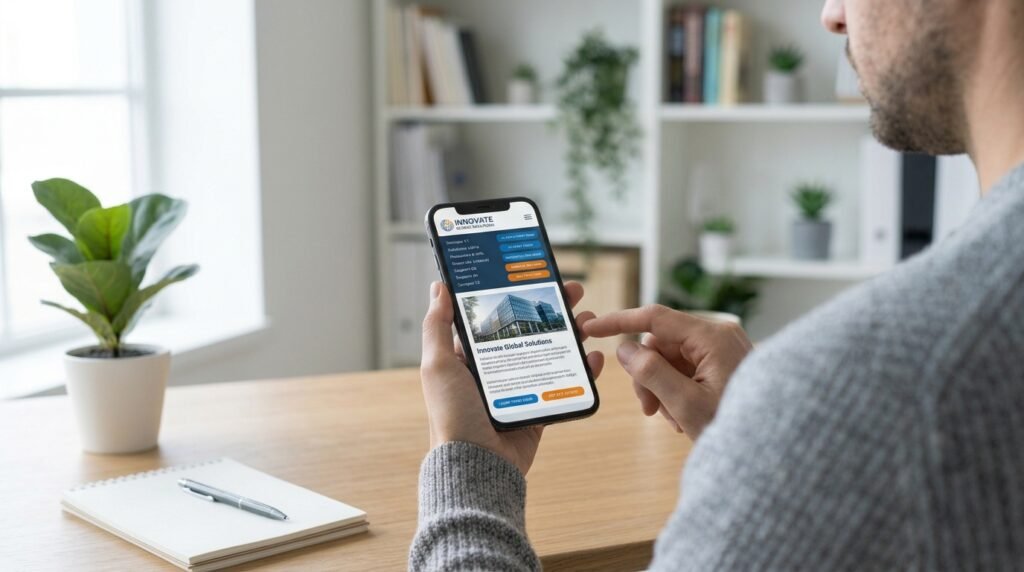
The text is too small, the buttons are difficult to click, the images are cropped incorrectly, and the layout looks completely different from what you expected.
In some cases, it’s almost like you’re visiting two different businesses.
This isn’t just a design problem.
It can also become a usability problem that makes it harder for visitors to understand your offer, navigate your pages, or contact your company.
A website needs to work across different screen sizes, including desktops, tablets, and mobile phones.
Visitors should be able to read your content, interact with your buttons, view your images, and complete important actions without unnecessary frustration.
And remember, a mobile-friendly website doesn’t have to look identical to its desktop version.
Some layouts need to change to work properly on smaller screens.
What matters is that the experience remains clear, consistent, and easy to use.
Before launching your website, test it on actual mobile devices.
Check your navigation, forms, buttons, images, loading speed, and the entire process a customer would follow to contact you or make a purchase.
Don’t just check whether the homepage looks good.
Test the complete customer journey.
The takeaway: Your website isn’t finished when it looks perfect on your computer. It’s finished when your customers can use it properly on the devices they actually use.
These Are Just Seven Signs. There Are Many More!
These are seven common problems that can make a website confusing, but they’re certainly not the only ones.
Other issues include an unclear offer, weak or inconsistent calls to action (CTAs), slow loading times, poorly organized content, confusing pricing, and forms that ask for too much information.
The important thing to remember is that a successful website isn’t just about how it looks.
It’s about how effectively it communicates, builds trust, and helps customers take the next step.
You can have the most beautiful website in your industry, but if visitors can’t understand your offer, find the information they need, or figure out how to work with you, you’re creating unnecessary barriers between your business and potential customers.
So, take a few minutes to look at your website from a different perspective.
Pretend you’re visiting it for the first time.
Can you understand what the company does?
Can you find the information you need?
Do you trust the business?
Do you know what to do next?
If the answer to any of these questions is no, you may have found an opportunity to improve your website.
And if you’d like help making your website clearer, improving its customer journey, and creating a more effective path toward conversion, visit Creative Atrium’s Mini Obsession.
The Atrium Team
Related Posts