Author: Andy Romero

Founder of ATRIUM, she writes about AI, SEO, and growth strategy for service businesses. She focuses on building practical systems, partnerships, and positioning strategies that help companies attract better clients and scale sustainably.
Two Google Business Profiles pinned side by side, showing why does my competitor rank higher on Google for a local salon.

Why Your Competitor Shows Up Above You on Google

If you’re asking why does my competitor rank higher on Google, the answer is usually not that they’re a better salon.

That’s the frustrating part.

You can know your work is better. Your clients can love you. Your salon can have more experience, a better atmosphere, and stylists who genuinely care.

And still, when someone searches for a salon nearby, your competitor shows up first.

Google is not standing in your salon. It is looking at the signals it can see.

Why this happens in the salon industry

Salons are local businesses, which means a huge amount of the competition happens before someone ever visits your website.

A customer searches. They see a map. They see a few salons.

Then they make a decision from whatever is visible in front of them.

The salon with more recent reviews may look safer.

The salon with a complete profile may look more established.

The salon with clear photos, accurate information, and regular activity may simply give Google and the customer more to work with.

That is often why your competitor appears above you.

Not because they are unquestionably better.

Because they are easier to understand from the outside.

What you probably think is causing your salon to rank higher or lower

When owners ask why does my competitor rank higher on Google, they often already have a diagnosis.

“My website isn’t good enough.”

“I need more SEO.”

“They must be spending more on Google.”

“Google just likes them better.”

Sometimes one of those things matters.

But I would hold that diagnosis loosely for a minute.

Because when we look at businesses from the customer’s side, the obvious explanation is often not the whole explanation.

You might be looking at your competitor’s polished website and assuming that is why they rank above you.

Meanwhile, the customer may never have reached either website.

They may have chosen from the map results.

And in that small moment, something much simpler may be separating you.

What is usually actually going on

The usual problem is a gap between the business you know you have and the business Google can clearly identify.

Your Google Business Profile might be incomplete.

Your services might not be described clearly.

Your reviews might be older than your competitor’s.

Your hours, photos, categories, or basic information might not give a complete picture of what happens inside your salon.

None of that necessarily means you’ve done something wrong.

This is what makes local visibility uncomfortable.

The things you stopped noticing can become the things a new customer notices first.

You know that you do great color work.

But can someone searching for a salon tell that immediately?

You know your team specializes in certain services.

But is that clear where the customer is actually looking?

You know you have loyal clients.

But if your most recent review is from months ago and your competitor has a steady stream of recent feedback, the customer sees a different story.

When you ask why does my competitor rank higher on Google, the answer may be hiding in that difference.

Not in one giant failure.

In the accumulated signals around the edges.

What it looks like from your customer’s side

Let’s walk through this the way a new customer might.

They search for a salon.

A list appears.

Your competitor has a recognizable name, recent reviews, photos that show what the salon looks like, clear hours, and enough information to make a quick decision.

Then they find you.

Maybe your rating is good too.

But there are fewer recent reviews.

Some photos are old.

The information feels thinner.

Maybe the services are not immediately clear.

Nothing looks terrible.

That is important.

Often, nothing looks obviously broken.

It just gives the customer slightly less confidence.

And when someone is choosing between several salons they have never visited, slightly less confidence can be enough.

They click your competitor.

This is the part I find interesting.

The owner is usually thinking about ranking.

The customer is usually thinking, “Which one feels easiest to trust?”

Those are not completely separate questions.

Handwritten notebook comparison exploring why does my competitor rank higher on Google for a salon in local search.

What actually matters instead

If you’re trying to understand why does my competitor rank higher on Google, I would spend less time looking for one secret trick.

I would look for the gaps a new customer can actually see.

  • Is your Google Business Profile complete and accurate?
  • Are your services easy to understand?
  • Are you receiving recent reviews, not just relying on reviews from years ago?
  • Do your photos help someone understand the salon before they visit?
  • Is the information consistent wherever a customer finds you?
  • Does your business look as active and cared for online as it is in real life?
  • Are you comparing your visible customer experience with your competitor’s, not just comparing your technical rankings?

Budget matters too.

You do not need to throw money at every marketing problem.

Sometimes the better question is whether you are spending attention on the right problem.

A business can invest heavily in a new website while leaving the place where local customers first encounter it half-finished.

That is not really a budget problem.

It is a visibility problem.

And visibility problems are often easier to see once you stop looking at your own business like its owner.

What we notice when we obsess over a business like yours

We notice the small moments.

The difference between “This salon looks good” and “I know what to do next.”

The review from last week beside the last review from six months ago.

The competitor whose photos answer questions without the customer realizing they had questions.

The service information that makes one salon easy to understand and another salon feel like work.

The incomplete profile that the owner has stopped seeing because they already know the missing information.

That last one happens constantly.

You know your address.

You know where to park.

You know what services your team does.

You know which stylist is best for which kind of appointment.

Your customer doesn’t.

They are standing outside the business, metaphorically speaking, trying to figure all of that out from a screen.

When we obsess over a salon, that is where we look.

Not first for what you should buy.

Not first for what you should redesign.

We look for what has become invisible to you because you see it every day.

That is often where the answer to why does my competitor rank higher on Google starts.

FAQ

Why does my competitor rank higher on Google when my salon has better reviews?

The number of reviews is only one visible difference a customer and Google may encounter. Your competitor may also have more recent reviews, a more complete profile, clearer business information, or other signals that make their local presence easier to understand.

Why does my competitor rank higher on Google even though my website is better?

Your website may not be the first thing influencing the local search decision. Many customers see map results and Google Business Profiles before visiting a website, so your local business information can matter enormously.

Can an incomplete Google Business Profile affect why my competitor ranks higher on Google?

It can create a visibility gap. If your competitor’s information is more complete, current, and useful to someone searching locally, they may present a clearer picture of their business.

Do I need more reviews to rank above my competitor on Google?

More reviews alone are not a complete diagnosis. Look at recency, the overall customer experience, the clarity of your profile, and whether a new customer can quickly understand why they should choose your salon.

How do I find out why my competitor ranks higher on Google?

Compare the two businesses from the customer’s side. Search the way a new customer would, look at what appears before the website, and notice what information, reviews, photos, and signals are easier to find on your competitor’s listing.

If you have been staring at your rankings and wondering what you are missing, sometimes the most useful thing is simply having someone look at the business without all the things you already know getting in the way. If you want that kind of outside obsession, you can tell me about your business here.

Laptop showing a simple online supplement store product page with a handwritten note, illustrating website traffic but no sales.

Why You Get Website Visitors but No Customers

If you are looking at your Shopify dashboard wondering why you have website traffic but no sales, the problem may not be traffic at all. People can find your supplement brand, click around, read about a product, and still leave without buying. Usually, something in the customer experience is making the next step harder than it needs to be.

Why this happens in supplement brands

Supplement shoppers are cautious.

They are putting something into their body. They want to know what it does, who it is for, how to take it, what is actually inside it, and whether they can trust the company selling it.

That makes the buying experience different from selling a shirt or a phone case.

A visitor might arrive from Google, an ad, Instagram, or a recommendation. They may already be interested. But interest is not the same thing as readiness to buy.

This is where website traffic but no sales becomes useful as a diagnosis.

Instead of asking, “How do I get more people here?” I would first ask, “What happens to the person who is already here?”

If they land on a product page and immediately have to hunt for basic information, the problem is not necessarily visibility.

The problem may be the experience after the click.

What you probably think is causing your website traffic but no sales

The first instinct is usually to blame the traffic.

Maybe the ads are attracting the wrong people.

Maybe the keywords are too broad.

Maybe Instagram followers are curious but not serious buyers.

Those things can happen. I would not dismiss them.

But I also would not start there.

If someone searches for a specific supplement, clicks through to your store, spends time on a product page, and then leaves, there is another question worth asking.

Did the page give them enough reason to feel comfortable buying?

A supplement shopper can have five tabs open.

They can compare ingredients.

They can read reviews.

They can look at dosage.

They can check the price.

They can leave your site and come back three days later.

So when there is website traffic but no sales, I get interested in the moments where confidence drops.

The visitor may not be saying, “I don’t want this.”

They may simply be thinking, “I’m not sure yet.”

What is usually actually going on

The most common problem is that the site explains the product from the brand’s perspective instead of helping the customer make a decision.

The brand knows the formulation.

The founder knows why the ingredients were selected.

The team knows what makes the product different.

The customer does not.

They are trying to figure it out in about 30 seconds.

I want the product page to answer the questions that are already running through their head.

What is this?

Who is it for?

Why would I use it?

What exactly is in it?

How do I take it?

How long will it last?

What does it cost?

Why should I trust this brand?

What happens if I change my mind?

If those answers are scattered across tabs, buried in tiny text, or missing altogether, the customer has to work.

That work matters.

A website can look beautiful and still make buying feel strangely difficult.

That is one of the first things I would investigate when a supplement brand has website traffic but no sales.

What it looks like from your customer’s side

Imagine I find your product through a search.

I click.

The page loads.

I see a beautiful product photo, a clever product name, and a short description.

Then I start looking for the thing I actually came for.

What does this do?

Maybe the answer is there, but it is underneath three paragraphs of brand story.

I scroll.

There are ingredients, but I am not sure why they matter.

I scroll again.

There is a subscription offer.

There is a bundle.

There is a pop-up.

There is a review slider.

There is a discount code box.

Now I am doing work.

And this is the part that is easy to miss when you own the brand.

You see a product page.

I see a decision.

That difference can explain a lot of website traffic but no sales.

The customer does not experience your homepage, product page, cart, and checkout as separate pieces of a website.

They experience one continuous question:

“Do I trust this enough to buy it?”

Every unnecessary step gives them another reason to pause.

Every unanswered question adds friction.

Every unclear button creates another tiny moment of uncertainty.

None of those moments has to be dramatic.

That is what makes them dangerous.

What actually matters instead

When I look at a Shopify supplement store with website traffic but no sales, I care less about whether the site looks impressive and more about whether the buying path feels obvious.

A few things matter a lot.

Clarity.
The customer should understand the product quickly. Avoid making them decode your language.

Confidence.
Ingredients, usage, product details, reviews, policies, and other trust signals should be easy to find.

One obvious next step.
If the page is trying to get someone to buy, subscribe, join an email list, read an article, watch a video, and follow you on Instagram all at once, the customer has to decide what you want them to do.

Consistency.
The promise that brought them to the site should match what they see when they arrive. If an ad says one thing and the product page feels like something else, trust drops.

A clean checkout.
The buying decision should not become harder after the customer has already said yes.

The goal is not to push harder.

It is to remove the reasons someone hesitates.

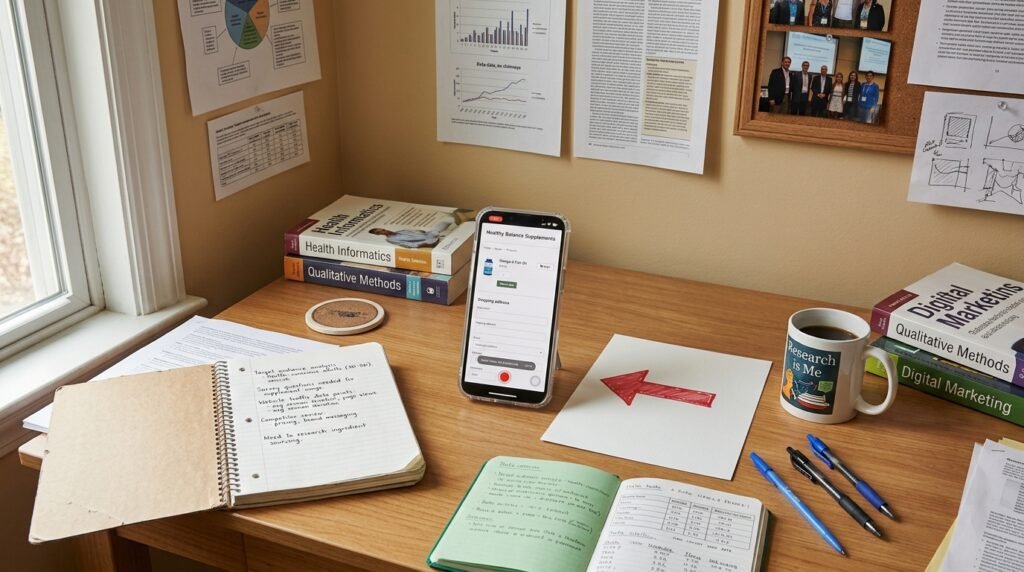
Phone showing a supplement checkout page during a screen recording with a red arrow beside it, illustrating website traffic but no sales.

What we notice when we obsess over a business like yours

This is where we usually slow down.

We look at the page as if we have never seen the brand before.

We do not know the founder.

We do not know the formulation.

We do not know the backstory.

We only know what the customer can see.

And sometimes the first thing we notice is that the brand is trying very hard to prove how good it is.

There are badges everywhere.

Claims everywhere.

Long explanations.

Multiple offers.

Lots of movement.

But the basic question is still sitting there:

“Is this the right product for me?”

That is a very different problem from needing more traffic.

We also look at what happens when someone is not ready to buy immediately.

Can they understand the product well enough to come back later?

Can they easily find the information they were looking for?

Is there a useful reason to trust the brand?

Can they tell the difference between your product and the five others they are comparing?

Those details matter because not every visitor will buy on the first visit.

A healthy customer experience gives them somewhere to go next without losing the thread.

And sometimes the most important thing we find is surprisingly simple.

The customer does not know what to click.

That is fixable.

You do not necessarily need a new brand.

You may not need another campaign.

You may simply need to make the path from “this looks interesting” to “I understand this” to “I trust this” to “I’ll buy it” much easier to follow.

That is the real question behind website traffic but no sales.

FAQ

Why do I have website traffic but no sales?

Website traffic but no sales can happen when visitors are interested but do not have enough confidence or clarity to complete the purchase. Look at the customer experience from the first click through checkout before assuming you simply need more traffic.

Is my Shopify store getting the wrong traffic?

Possibly. But do not assume that immediately. If visitors are reaching relevant product pages, investigate what happens next. Look at product-page engagement, add-to-cart behavior, checkout behavior, and the questions customers still have.

How do I fix website traffic but no sales?

Start with the buying path. Make the product understandable, answer common questions clearly, show useful trust signals, make the next step obvious, and remove unnecessary friction from the cart and checkout.

Can better product pages increase sales?

They can help when the current page is creating uncertainty. A strong product page should help someone understand the product, decide whether it fits their needs, trust the brand, and know exactly what to do next.

Should I spend more money getting website visitors?

Not before you understand what happens to the visitors you already have. If the existing traffic is reaching the right people but the customer experience is losing them, more traffic can simply create more people leaving for the same reason.

If you want to look at your business from the customer’s side instead of guessing at the next fix, tell me about your business here.

Technician using a tablet to create a ServiceTitan pricebook estimate at a customer's home with organized flat-rate pricing.

Your Tech Spent 25 Minutes Building an Estimate a Pricebook Should Have Done in 3

Your tech should not spend 25 minutes building a routine estimate. If it takes that long, the problem usually is not the technician. It is the pricebook. A clean contractor pricebook lets a tech find the right task, adjust only what is unique to the job, and send the estimate in minutes instead of building it from scratch every time.

If your crews are standing in a driveway scrolling through hundreds of line items or calling the office for pricing, you are losing time on every call. That lost time adds up fast.

Why This Happens in ServiceTitan

Most slow estimates start with a pricebook that has grown without a plan.

New services get added whenever someone needs them. Old tasks never get cleaned up. Different people build items in different ways. Before long, nobody trusts what they see.

Instead of selecting one task, the tech pieces together labor, materials, markups, and miscellaneous charges manually.

That turns every estimate into a custom project.

We’ve seen accounts where a technician has to search through hundreds of similarly named items before finding the right one. By then, the customer has already been waiting while the tech stares at a tablet instead of explaining the work.

How to Check If This Is Affecting Your Account

You do not need complicated reporting to spot this problem.

Watch one technician build a common estimate.

Pay attention to these questions:

  • Are they searching for the same item multiple times?
  • Are they opening several tasks before choosing one?
  • Are they manually adding labor or materials that should already be included?
  • Are they calling the office because pricing looks wrong?
  • Are they saying, “I usually build this one myself”?

If any of those happen on a routine service, your pricebook is slowing the entire business down.

Another simple check is timing.

If a standard repair estimate regularly takes 20 to 30 minutes to build, your pricebook is probably doing more harm than good.

What Most Shops Get Wrong Here

Most owners think the answer is more training.

Training helps.

A messy pricebook does not.

A good technician should not have to memorize where everything lives.

The system should make the right choice obvious.

Another mistake is treating the pricebook like a spreadsheet.

It is not.

It is one of your biggest sales tools.

When pricing is organized correctly, your tech spends more time talking to the homeowner and less time tapping through menus.

That extra conversation often does more to close the job than another discount ever will.

Contractor reviewing a clean ServiceTitan pricebook before presenting a three-minute estimate to a homeowner.

What Actually Fixes It

A fast pricebook is built around how your technicians work in the field.

That usually means:

  • Standard repairs have one complete task instead of multiple separate pieces.
  • Frequently used services are easy to find.
  • Naming conventions stay consistent across every category.
  • Materials, labor, overhead, and margin are already built into the task.
  • Duplicate items get removed.
  • Old pricing gets archived instead of left active.

The goal is simple.

Open the estimate.

Select the task.

Adjust only what is unique.

Send it.

Three minutes instead of twenty-five.

That difference lets your tech spend more time building trust with the customer instead of building pricing.

What We See Working Inside These Accounts

Across the ServiceTitan accounts we’ve reviewed, the fastest shops are rarely the ones with the biggest pricebooks.

They are the ones with the cleanest ones.

Their technicians know exactly where common services live.

Office staff trust the numbers.

Owners are not getting calls asking which price to use.

Most importantly, estimates go out while the conversation with the customer is still happening.

That speed matters.

The longer it takes to build an estimate, the easier it is for the customer to start second-guessing the work or call another contractor.

A clean pricebook will not solve every operational problem.

It will remove one of the biggest sources of wasted time your crews deal with every day.

FAQ

Why does my ServiceTitan estimate take so long to build?

Most slow estimates come from an unorganized pricebook with duplicate tasks, inconsistent naming, or missing flat-rate pricing.

How long should a normal estimate take?

For a common repair, many estimates should take only a few minutes once the pricebook is organized correctly.

Should technicians build custom estimates every time?

No. Custom work will always exist, but routine repairs should already be built into the pricebook.

Can a messy pricebook affect close rates?

Yes. The longer customers wait for pricing, the more likely the conversation loses momentum before you close the job.

Is this a technician problem or a pricebook problem?

Usually the pricebook. Even experienced technicians slow down when they have to hunt for pricing instead of selecting a complete task.

Before changing anything, time three technicians building the same common estimate. That simple test will tell you whether your pricebook is helping your crews or slowing them down. If you’d like a second set of eyes, we’re happy to review it with you: https://creativeatrium.com/schedule-consultation/

Service company preparing for winter service planning during late summer by reviewing schedules and upcoming seasonal work.

Why Smart Service Companies Plan for Winter Before Summer Ends

If you wait until the first cold snap to prepare for winter, you’re already behind. Winter service planning starts before summer ends because the companies that stay busy in October and November are usually the ones that made their decisions in August.

Inside chimney and HVAC businesses, August is often quieter. Call volume slows, estimates take longer to close, and crews may have open days on the schedule. That makes it the right time to clean up the parts of the business that determine how busy you’ll be once heating season begins.

Why This Happens in Chimney and HVAC During August

Most chimney companies see demand shift dramatically once temperatures begin to fall. HVAC companies experience a similar pattern as cooling work tapers off and heating calls begin to replace it.

The businesses that struggle every fall usually are not struggling because homeowners suddenly stopped spending money. They struggle because too many operational problems were left untouched during the summer.

We’ve seen businesses enter September with hundreds of estimates sitting untouched inside ServiceTitan. Nobody followed up. Nobody called the homeowner back. When the busy season arrived, those missed opportunities were gone.

August gives you room to fix those problems before your schedule fills.

The Slow Season Marketing Strategy for Home Service Companies article explains why slower months should be used to strengthen operations instead of simply waiting for demand to return.

How to Tell If Your Winter Service Planning Is Seasonal or Structural

A slower August is normal.

A business that loses booked jobs every month of the year is not dealing with seasonality.

Look for patterns such as:

  • Estimates that remain open for weeks.
  • Calls that are never returned.
  • Slow speed to lead after web inquiries.
  • Crews sitting idle despite advertising every month.
  • Large differences between estimates written and jobs actually closed.

These issues carry into heating season if they are ignored.

Industry organizations such as the Chimney Safety Institute of America continue to emphasize regular inspections before heavy fireplace use begins, which naturally increases homeowner demand during the fall. Businesses need to be ready before that demand arrives.

What Most Chimney and HVAC Owners Get Wrong About This

Many owners increase advertising every September without checking whether the business is ready to handle more calls.

That often creates more wasted spend instead of more booked jobs.

A phone that rings is only the beginning.

The business still has to answer quickly.

The estimate still has to be written clearly.

Someone still has to follow up.

The job still has to close.

We regularly see businesses spending thousands every month while estimate approval rates remain flat because the follow-up process is inconsistent.

Before increasing your monthly budget, compare how many estimates were written over the last 90 days against how many became completed jobs.

The math speaks for itself.

What Actually Matters Instead

Good winter service planning focuses on consistency.

That means:

  • Reviewing every open estimate.
  • Making sure every incoming call is answered quickly.
  • Checking that online booking requests receive immediate follow-up.
  • Confirming Google Business information is accurate before seasonal traffic increases.
  • Reviewing advertising for obvious wasted spend before adding more budget.

The Google Business Profile Help documentation is a useful resource for confirming seasonal hours, service areas, and business information before homeowner searches increase.

It is also worth reviewing your own numbers before changing anything.

The How to Tell If Your Marketing Is Broken or Just Seasonal article walks through several of the same patterns we see across contractor businesses every year.

Stone mason completing chimney masonry work as part of winter service planning before the busy heating season.

What We See Working Inside These Businesses

The businesses that stay busy through heating season usually are not doing dramatically different advertising.

They simply remove the friction that causes jobs to disappear.

That includes following up on every estimate within 24 hours.

It includes reviewing every advertising dollar before increasing monthly spend.

It includes making sure dispatch, office staff, and technicians all understand what happens after a homeowner requests service.

We have also seen companies recover significant wasted spend after reviewing existing advertising accounts instead of immediately increasing budgets. One chimney company recovered more than $70,000 after identifying problems inside its advertising account before entering the busy season.

Those businesses tend to produce better jobs, not more calls.

When October arrives, they are ready for the increase instead of reacting to it.

If you want another perspective on preparing your business before demand increases, our Marketing Review explains the operational areas we examine before recommending any changes.

FAQ

When should chimney companies start winter service planning?

August is one of the best times to begin. Demand is usually lighter, giving you time to review open estimates, tighten your follow-up process, and make sure your advertising and scheduling are ready before homeowners begin preparing fireplaces for colder weather.

How do I know if slower calls in August are normal?

Look at your numbers over the past few years. Many chimney and HVAC companies see call volume drop during late summer. If booked jobs return every fall, you’re likely seeing a seasonal pattern. If calls have been declining for months regardless of the season, there may be a structural problem that needs attention.

Should I increase my advertising budget before winter?

Only after reviewing your current results. If estimates aren’t closing or follow-up is inconsistent, adding more budget usually creates more wasted spend. Fix the process first, then decide whether additional advertising makes sense.

What should I review before heating season begins?

Start with your open estimates, response times, scheduling process, Google Business Profile, and advertising account. Confirm your office is following up consistently and that technicians are completing inspections and recommendations clearly. Small improvements in these areas often produce more booked jobs than increasing monthly spending.

What is the biggest mistake contractors make with winter service planning?

Waiting until demand arrives. By the time the phone starts ringing every day, there is very little time to improve office procedures, update advertising, or recover estimates that have already gone cold. The companies that stay consistently busy usually prepare weeks before homeowners begin thinking about fireplaces and furnaces.

Winter service planning is easier when the work starts before the schedule fills up. If you’d like another set of experienced eyes on what’s helping or hurting your business, we’re always happy to have a conversation.

Contractor installing radiant floor heating tubing inside a new home during construction, carefully securing PEX tubing over insulated subfloor before the concrete slab is poured.

The ServiceTitan Pricebook Nobody Set Up Correctly

Your ServiceTitan pricebook setup is either helping you close jobs faster or quietly costing you money on every estimate. Most shops don’t have a ServiceTitan problem. They have a pricebook that’s grown without a plan. Duplicate services, outdated pricing, and inconsistent categories force technicians to search, override prices, or create custom line items instead of closing the job.

We’ve reviewed accounts where the same repair existed five different times under slightly different names. Nobody noticed because the work kept getting done. Meanwhile, estimates took longer, pricing became inconsistent, and gross profit slowly slipped away.

A clean pricebook isn’t just about organization. It’s one of the biggest sales tools inside your business.

Why This Happens in ServiceTitan

Most companies start with a solid implementation, then keep adding services as the business grows.

Years later, the pricebook is filled with duplicate items, inactive materials, outdated costs, and categories that no longer make sense. Every office manager organizes things differently, and technicians learn to work around the confusion.

ServiceTitan gives you tools like Categories, Materials, Services, Assemblies, and Pricebook Pro. If those aren’t maintained, the software simply reflects the way the business has evolved.

How to Check If This Is Affecting Your Account

Open your Pricebook and search for a common repair like “capacitor” or “water heater.”

If you see multiple versions of the same service, that’s your first warning sign.

Next, review a handful of recent estimates.

Look for:

  • Frequent manual price overrides
  • Custom line items
  • Duplicate services
  • Outdated material costs
  • Technicians struggling to find common repairs

If two technicians build the same estimate differently, your pricebook isn’t creating consistency.

What Most Shops Get Wrong

Most owners treat the pricebook like an inventory list.

It isn’t.

It’s a selling tool.

When technicians spend ten minutes searching for the right service, customers notice. Confidence drops, estimates slow down, and attention shifts from solving the problem to explaining the price.

Another common mistake is organizing the pricebook around accounting instead of how technicians actually perform work. The easier it is to build a consistent estimate, the easier it is to close the job.

HVAC technician building an estimate using a clean ServiceTitan pricebook setup on a tablet inside a customer's home, showing organized flat-rate services.

What Actually Fixes It

A good ServiceTitan pricebook setup removes decisions instead of adding them.

Start by eliminating duplicate services and retiring outdated items. Then organize categories around the work your technicians perform every day, not around accounting.

For repairs you complete repeatedly, use Assemblies so technicians don’t have to rebuild the same estimate every time. Review labor assumptions, sold hours, and material costs at least once each quarter to keep pricing current.

The goal isn’t a bigger pricebook.

It’s one your entire team trusts.

What We See Working Inside These Accounts

The best contractor accounts usually have three things in common.

One person owns the pricebook.

The team reviews pricing regularly instead of waiting years.

Technicians give feedback when something is difficult to find.

We’ve also found that reducing duplicate search results speeds up estimating and creates more consistent pricing across the entire company. Saving five minutes on every estimate adds up quickly when you’re sending hundreds each year.

More importantly, consistent pricing protects your margins and gives customers confidence while the estimate is being built.

Frequently Asked Questions

How often should I update my ServiceTitan pricebook?

Review it every quarter. Regular updates keep pricing accurate and prevent duplicate services from piling up.

What’s the biggest pricebook mistake?

Duplicate services and inconsistent pricing. They slow estimates and encourage manual workarounds.

Should technicians override pricing?

Only when necessary. Frequent overrides usually mean the pricebook needs attention.

Are Assemblies worth using?

Yes. They speed up estimating, reduce missed materials, and keep pricing consistent across technicians.

Can a messy pricebook really cost money?

Absolutely. Slower estimates, inconsistent pricing, and outdated costs reduce margins one job at a time.

If you want a quick place to start, search your ten most common services and count how many duplicates you have. That free check takes less than fifteen minutes. If you’d like a second pair of eyes after that, we’re happy to take a look: https://creativeatrium.com/schedule-consultation/


Office manager reviewing ServiceTitan estimate follow up tasks on a desktop while calling customers with several open estimates awaiting response.

Your Estimates Are Going Out and Nobody’s Following Up. Here’s Where It’s Breaking in ServiceTitan

Your estimates are going out and nobody’s following up because this is usually a workflow problem, not a ServiceTitan problem. The software can send estimates, reminders, and notifications, but someone still has to own the follow-up process. If nobody owns it, estimates sit untouched while your office moves on to the next call.

We’ve reviewed ServiceTitan accounts where hundreds of estimates were sitting in an “Open” status for weeks. The owner assumed customers had decided not to move forward. In reality, many of those customers never received a phone call after the estimate was sent.

Most contractors think they lost the job on price.

Most of the time they lost it because nobody followed up.

Why This Happens in ServiceTitan

ServiceTitan gives you the tools to track estimates, but it doesn’t decide what your office does next.

That’s where things usually break.

A common workflow looks like this:

  • Tech builds the estimate.
  • Customer wants to think about it.
  • Estimate gets emailed.
  • Everyone gets busy.
  • The next day’s calls take priority.
  • Nobody calls that customer again.

Thirty days later the estimate is still open.

Nothing in ServiceTitan automatically fixes that process unless your team builds one.

We’ve seen offices where three different people thought someone else was handling estimate follow-up. Nobody was.

That math speaks for itself.

How to Check If This Is Affecting Your Account

You can find out in less than ten minutes.

Start inside your Estimates screen.

Look for estimates that are:

  • Still marked Open
  • More than 7 days old
  • More than 14 days old
  • More than 30 days old

Then open several of them.

Look at the Activity Feed.

You’re looking for simple things:

  • Was the estimate emailed?
  • Was there a phone call afterward?
  • Was there a text?
  • Was there another email?
  • Was there any documented customer contact?

If the last activity is simply “Estimate Sent,” you’ve found the leak.

Another place to check is your Follow Up section if you’ve built follow-up tasks into your workflow. If your account uses Follow Up Tasks or automation, make sure they’re actually being completed instead of sitting overdue.

The ServiceTitan Help Center has documentation covering estimate workflows and follow-up features that are worth reviewing whenever you’re rebuilding this process: https://help.servicetitan.com.

What Most Shops Get Wrong Here

The biggest mistake is assuming every open estimate is a price problem.

It usually isn’t.

Customers get busy.

Emails get buried.

People forget.

Life happens.

The contractor who closes the job is often the one who calls back first.

Another mistake is making follow-up optional.

When office staff have time, they call.

When they’re busy, they don’t.

Eventually nobody knows which estimates still deserve attention.

We’ve also seen shops where technicians assume the CSR owns follow-up while the CSR assumes the technician is handling it.

No owner.

No accountability.

No booked job.

Contractor discussing an estimate with a homeowner before scheduling the next ServiceTitan estimate follow up call on a tablet.

What Actually Fixes It

The fix is surprisingly simple.

Every estimate needs three things.

First, one person owns the follow-up.

Not everyone.

One person.

Second, every estimate gets a scheduled next action before the customer hangs up or the technician leaves.

Not a reminder in someone’s head.

An actual task.

Third, measure it every week.

Look at:

  • Open estimates over 7 days
  • Open estimates over 30 days
  • Dollars sitting in open estimates
  • Follow-up completed versus missed

Those numbers tell you whether your office is dialed in.

One process we’ve seen work well is:

Day 0: Estimate sent.

Day 2: Phone call.

Day 5: Text message.

Day 10: Second phone call.

Day 21: Final check-in before moving the estimate into a long-term follow-up process.

That schedule won’t fit every contractor, but having a consistent schedule matters far more than hoping someone remembers.

What We See Working Inside These Accounts

Across the ServiceTitan accounts we’ve reviewed, the shops that consistently close more jobs aren’t necessarily sending better estimates.

They’re simply better at staying in touch.

The estimate email looks professional.

Someone owns the follow-up.

Management reviews open estimates every week.

Nothing sits untouched for a month.

We’ve also seen contractors discover tens of thousands of dollars sitting inside old open estimates simply because nobody called the customer back.

Some of those jobs were already lost.

Some weren’t.

A five-minute phone call booked work that otherwise would have disappeared.

This won’t fix every estimate.

Some customers will still choose another contractor.

Some will decide not to do the work.

But if your office isn’t consistently following up, you’re never finding out which jobs were still yours to close.

FAQ

Why are my ServiceTitan estimates not closing?

Many estimates don’t close because nobody follows up after they’re sent. Check whether open estimates have documented phone calls, texts, or emails after the initial estimate.

Can ServiceTitan automate estimate follow-up?

ServiceTitan includes tools that support follow-up workflows, but they still require your business to build and manage a consistent process.

How long should an estimate stay open?

Every business is different, but estimates older than 30 days with no customer activity should be reviewed. Many shops also monitor estimates older than 7 and 14 days.

Who should own estimate follow-up?

One specific person should own it. When everyone assumes someone else is calling, nobody does.

What’s the first report I should review?

Start with your open estimates and sort them by age. Then review the activity history to see whether any follow-up happened after the estimate was sent.

If you want a quick place to start, pull up your oldest open estimates and count how many have no phone call after the estimate was emailed. You’ll know pretty quickly whether you’re losing jobs because of price or because the follow-up stopped there. If you’d like a second set of eyes, we’re happy to review it with you at https://creativeatrium.com/schedule-consultation/.

Contractor reviewing an estimates report on a laptop to improve estimate close rate before the slow season.

The Number Sitting in Your Estimates Report Most Owners Never Pull

Most contractor owners know how many calls came in last month. They know what they billed. They know what hit the bank.

Very few know their estimate close rate.

That number tells you how many estimates actually became booked jobs. It also tells you how much money is quietly slipping away after your estimator leaves the driveway.

We’ve reviewed contractor businesses where owners thought they had a marketing problem. The phone was ringing. Estimates were going out. The real issue was that nobody was measuring what happened next.

That math speaks for itself.

Why This Happens in Contractor Businesses

Most owners grow up in the trade, not in reporting.

The estimate gets sent. Everyone gets busy.

The crew has jobs to finish. The office starts answering the next round of calls. Before long, last week’s estimates disappear into the background.

Nobody goes back to ask one simple question.

Did we close it?

Instead, owners judge the month by how busy everyone felt.

Busy doesn’t always mean profitable.

A shop can send 120 estimates, close 36 of them, and think business is slow.

Another shop can send 90 estimates, close 50, and keep the schedule full without spending another dollar trying to make the phone ring.

The difference isn’t more calls.

It’s knowing what happens after the estimate.

How to Tell if Your Close Rate Is the Real Problem

Start with three numbers.

  • Total estimates sent.
  • Total estimates accepted.
  • Total dollar value of those accepted estimates.

Now calculate your close rate.

Accepted Estimates ÷ Total Estimates × 100

That’s it.

If you sent 80 estimates and booked 28 jobs, your close rate is 35%.

Now do one more calculation.

If your average estimate is $6,000, those 52 estimates that didn’t close represent $312,000 in potential work.

Not all of that should have closed.

Nobody closes every estimate.

But if improving your follow up raised your close rate from 35% to 45%, that’s eight more jobs.

At a $6,000 average ticket, that’s another $48,000 booked without spending another dollar on advertising.

That’s why this report matters.

What Most Owners Get Wrong

The first mistake is assuming every lost estimate came down to price.

We’ve seen that assumption over and over. Someone says, “We’re getting underbid.” Maybe.

But plenty of estimates disappear because nobody followed up. The customer got busy. They forgot.

Another contractor called first. Someone answered a question that never got asked back. Silence loses more jobs than price.

The second mistake is looking only at revenue. Revenue tells you what already happened. Close rate tells you what almost happened. Those are two very different conversations.

The third mistake is looking at one month in isolation. One month doesn’t tell you much. Six months start showing patterns. Twelve months tells you whether you’ve got a seasonal issue or a process issue.

What Actually Matters Instead

A healthy estimate process isn’t just about writing accurate quotes.

It’s about consistency.

Look for patterns like these.

  • Does every estimate get a follow up within 24 hours?
  • Is there another follow up three to five days later?
  • Are unanswered estimates reviewed every week?
  • Does someone own the follow-up process, or does everyone assume someone else handled it?

We’ve seen businesses where one office manager changed nothing except consistent follow up.

Booked jobs went up.

Advertising stayed exactly the same.

The phone didn’t ring any more often.

More estimates simply turned into work.

That is one of the cheapest improvements a contractor can make.

Office manager tracking estimate close rate and following up on open estimates in a contractor business.

What We See Working Inside These Businesses

The contractors with the healthiest estimate close rates don’t usually have more office staff.

They have better habits.

Every estimate has an owner.

Every estimate has a follow up.

Every estimate eventually gets marked as won or lost.

That sounds simple because it is.

We’ve reviewed accounts where hundreds of estimates were still sitting in an “open” status from two years ago.

Nobody knew if the customer hired someone else, postponed the work, or was still waiting for a call back.

An estimates report full of old open quotes isn’t just messy.

It hides what is really happening in the business.

One pattern shows up again and again.

The owner thinks the phone isn’t ringing enough.

The report shows something different.

The company already has plenty of opportunities. They’re just not closing enough of them.

We’ve also seen the opposite.

A contractor with a 55% close rate is booked solid while sending fewer estimates than competitors.

That owner isn’t chasing every call.

They’re getting more from the calls they already have.

That’s a much easier way to grow.

Another habit we see is reviewing the estimates report every Monday.

Not once a quarter.

Not when business gets slow.

Every week.

The questions are always the same.

  • How many estimates went out?
  • How many closed?
  • Which estimates need another follow up?
  • Is one estimator closing significantly more jobs than another?
  • Are certain services closing at a much higher rate?

Those conversations lead to improvements you can actually control.

Buying more advertising before answering those questions is like pouring water into a bucket with a hole in the bottom.

Fix the leak first.

Then decide if you need more calls.

FAQ

What is a good estimate close rate for a contractor?

It depends on your trade, pricing, and the type of work you pursue. The important part is measuring it consistently. Improving your own close rate by even five to ten percentage points can create a significant increase in booked jobs.

How do I calculate estimate close rate?

Divide the number of accepted estimates by the total number of estimates sent, then multiply by 100. If you sent 100 estimates and 42 became booked jobs, your estimate close rate is 42%.

Why does my estimate close rate matter?

It shows whether your business is turning opportunities into revenue. A low estimate close rate often points to follow-up issues, inconsistent estimating, or pricing problems that deserve attention before increasing advertising.

Should I review my estimate close rate every month?

Monthly reviews are useful, but weekly reviews make it easier to catch problems while estimates are still active. Looking at trends over six to twelve months provides the clearest picture.

Can improving estimate close rate increase revenue without more advertising?

Yes. Closing more of the estimates you’re already sending often creates additional booked jobs without increasing marketing spend. Many contractor businesses have more opportunity sitting in unclosed estimates than they realize.

Closing

Take fifteen minutes this week and pull your estimate close rate. If you don’t know the number today, that’s the first thing to fix. If you’d like a second set of eyes on what your estimates report is really saying, you can schedule a conversation with ATRIUM at https://creativeatrium.com/schedule-consultation/.

Service technician using a tablet to access a ServiceTitan pricebook while building an estimate on a residential job site.

ServiceTitan Pricebook Problems: Why Your Techs Still Price Jobs From Memory

You’re paying for ServiceTitan pricebook every month, but if your techs are still pricing jobs from memory, this is not a software problem. It’s a systems problem.

We see this constantly inside ServiceTitan accounts. The company buys the platform. Everyone goes through onboarding. Six months later, techs are still building estimates off old invoices, gut feel, or whatever they charged on the last similar job.

That usually means one of three things:

  1. The pricebook is incomplete.
  2. Nobody trusts the numbers.
  3. The field workflow was never fully adopted.

The result is the same. Estimates take longer. Pricing becomes inconsistent. Gross profit moves around job to job. Crews lose confidence. Jobs get priced differently depending on who showed up that day.

Why This Happens in ServiceTitan

ServiceTitan gives shops a lot of flexibility. That flexibility can become a problem fast.

A new account might launch with only the top 50 services loaded. Everything else gets added later. Except “later” never happens.

Now a tech is standing in a customer’s driveway needing to price a custom chimney rebuild, a duct modification, or an electrical troubleshooting call that is not in the pricebook.

They improvise.

After enough improvising, pricing from memory becomes the real process.

We’ve reviewed accounts where fewer than 40% of sold jobs used standardized pricebook tasks. The rest were miscellaneous charges, custom line items, or copied estimates.

That math speaks for itself.

ServiceTitan’s own documentation on Pricebook setup and management shows how detailed the structure needs to be for field adoption to work consistently: ServiceTitan Help Center. Real users discussing these issues regularly show up inside the ServiceTitan Community forum.

How to Check If This Is Affecting Your Account

Open ServiceTitan and start here.

Step 1: Pull recent sold jobs from the last 30 days.

Step 2: Look for:

  • Custom line items
  • Miscellaneous charges
  • Copied invoices
  • Technician-created tasks
  • Repeated manual edits

Step 3: Compare estimates between technicians.

If one tech prices a capacitor replacement at $425 and another prices the same work at $675, your ServiceTitan pricebook is not dialed in.

Another check:

Ask three techs to build the same estimate independently.

If all three produce different totals, your team is pricing from memory.

You should also review:

  • Pricebook > Categories
  • Pricebook > Services
  • Pricebook > Materials
  • Pricebook > Tasks
  • Pricebook > Price Builder settings

A clean ServiceTitan pricebook should allow a technician to build most common estimates without creating anything manually in the field.

Office manager reviewing ServiceTitan pricebook categories and pricing consistency for field technicians.

What Most Shops Get Wrong Here

Most owners think loading thousands of items into the system fixes the problem.

It doesn’t.

A giant pricebook nobody trusts is worse than a smaller one everyone uses.

We often see shops with 8,000 to 12,000 line items and techs still avoiding the system.

Why?

Because finding the right task takes too long.

When a customer is standing next to the truck waiting on a price, speed matters.

The shops that close more jobs usually have:

  • Clear categories.
  • Consistent naming conventions.
  • Flat rate tasks built around actual field work.
  • Assemblies for common repairs.
  • Fewer duplicate services.

If a tech has to search five different ways to find “Water Heater Replacement,” they’ll eventually stop looking.

Education is expensive no matter how you get it.

What Actually Fixes It

The fix starts with simplification.

First, identify your top 100 most frequently sold jobs.

Build those first.

Then make sure every one of those jobs includes:

  • Labor
  • Materials
  • Overhead allocation
  • Desired margin
  • Good, better, best options when appropriate

Inside ServiceTitan, use Price Builder and assemblies to standardize recurring work instead of creating one-off estimates every time.

Next, remove duplicate services.

We’ve seen HVAC accounts with six versions of “Capacitor Replacement” and chimney companies with four different sweep services doing essentially the same thing.

Nobody knows which one to use.

Finally, hold technicians accountable.

If estimates continue getting built manually when the correct task already exists, that becomes a training issue, not a software issue.

You cannot improve close rates or job costing when everyone is making up pricing in the field.

You can’t compete with someone who doesn’t know their costs. Eventually math wins.

What We See Working Inside These Accounts

Across the accounts we’ve reviewed, the shops with the most consistent booked jobs usually share a few traits.

Their top services account for 70% to 80% of estimate volume.

Those services are heavily standardized.

Techs rarely create custom tasks.

Office staff reviews exceptions weekly.

Pricebook updates happen monthly, not once a year.

Most important, the owner trusts the numbers.

When the owner constantly overrides pricing, the entire team starts pricing from memory again.

The software can only support the process.

It cannot replace it.

FAQ

Why are my technicians avoiding the ServiceTitan pricebook?

Most technicians avoid the ServiceTitan pricebook because it is incomplete, difficult to search, or contains duplicate services that slow them down in the field.

How many services should a ServiceTitan pricebook have?

There is no perfect number. Most shops should fully standardize their top 100 to 200 sold jobs before expanding further.

Can ServiceTitan force technicians to use pricebook tasks?

ServiceTitan can restrict permissions and reporting, but consistent usage still depends on training, accountability, and trust in the pricing.

Why are estimates inconsistent between technicians?

Estimates become inconsistent when technicians create custom line items or price work from memory instead of using standardized flat rate tasks.

How often should a ServiceTitan pricebook be updated?

Most shops should review and update their ServiceTitan pricebook monthly, especially labor rates, material costs, and frequently sold services.

Take 15 minutes and compare three estimates for the same job from different techs. If the numbers are all over the place, that’s the first thing to fix. If you want a second set of eyes on it, ATRIUM can help: https://creativeatrium.com/schedule-consultation/

Luxury residential property prepared for peak season during summer demand preparation for HVAC and pool companies.

Summer Demand Preparation for Premium HVAC and Pool Service Companies

If your summer demand preparation starts when the phone is already ringing nonstop, you’re late. Premium HVAC and pool service companies that stay booked through summer usually prepare weeks before demand spikes. They are not scrambling to fix problems in June. They already have their systems dialed in.

By the time temperatures climb, ad costs rise, response times slow down, and estimates start stacking up. Businesses that prepared early close better jobs while everyone else fights over price shoppers.

Why This Happens in HVAC / Pools During June

June is when demand starts accelerating for both HVAC and pool companies.

In HVAC, emergency no-cool calls increase quickly once sustained heat arrives. Pool companies begin dealing with openings, equipment replacements, and midsummer service requests at the same time.

Most owners see the phones pick up and assume the busy season will take care of itself. That works until crews are overwhelmed, follow-up slips, and booked jobs start leaking out the back door.

Inside ServiceTitan accounts, we often see estimate follow-up rates drop sharply during the first major heat wave. A company may produce $150,000 in estimates in a month but fail to follow up on 30 to 40 percent of them simply because everyone is busy running calls.

The math speaks for itself.

How to Tell If Your Summer Demand Preparation Is Seasonal or Structural

Seasonality is normal.

Most HVAC businesses experience significant swings between shoulder seasons and peak summer demand. Pool companies see similar patterns around openings and equipment upgrades.

Structural problems look different.

Signs your summer demand preparation may be weak include:

  • Calls are increasing but booked jobs are flat.
  • Estimates sit untouched for more than 48 hours.
  • Crews are sitting idle even though marketing spend has increased.
  • Your average job value drops because price shoppers dominate the schedule.
  • Response times stretch beyond the first hour.

A seasonal slowdown corrects itself when demand returns.

A structural problem continues even when call volume increases.

For a deeper look, read How to Tell If Your Marketing Is Broken or Just Seasonal.

What Most HVAC and Pool Owners Get Wrong About This

Many owners react to June by increasing ad budgets immediately.

Higher spend rarely fixes the underlying issue.

We’ve looked inside enough Google Ads accounts to know that wasted spend often comes from poor tracking, missed calls, slow response times, or weak estimate follow-up. Throwing more money into ads while these issues exist usually means more wasted spend.

Before increasing budget, review:

  • Missed call rates.
  • Speed to lead.
  • Estimate follow-up consistency.
  • Job mix and average ticket size.
  • Whether your team is winning the jobs you actually want.

Think with Google has repeatedly highlighted how customer expectations for fast responses continue to increase across service industries. Fast follow-up matters more every year.

Architectural detail showing organized operations and summer demand preparation for premium service companies.

What Actually Matters Instead

Good summer demand preparation comes down to consistency.

First, know where every dollar is going. If you cannot explain where booked jobs came from last month, the business is flying blind.

Second, focus on better jobs, not more calls. Premium service companies separate themselves through reputation, professionalism, and follow-up rather than racing competitors to the bottom on price.

Third, make sure your systems are documented. The companies that avoid feast or famine conditions usually have processes everyone follows, even during peak weeks.

Many owners benefit from reviewing their numbers through a structured Marketing Review or comparing performance against documented Case Studies.

Google also provides extensive guidance through the Google Ads Help Center for tracking call performance and attribution correctly.

What We See Working Inside These Businesses

The businesses that consistently stay ahead of summer demand share a few characteristics.

Their follow-up process does not disappear when technicians get busy.

Someone owns estimate follow-up every single day.

They monitor missed calls weekly.

They review booked jobs instead of simply counting calls.

They regularly revisit their Marketing Services efforts to ensure money is producing profitable work.

One HVAC company we worked with reduced missed opportunities simply by assigning office staff to follow up on every replacement estimate within 24 hours. Closing percentage improved enough to keep crews fully booked for the remainder of summer without increasing monthly ad spend.

Another company realized nearly half of their Google Ads budget was producing low-value calls. After cleaning up wasted spend, they booked fewer calls but significantly more equipment replacement jobs.

FAQ

When should HVAC companies begin summer demand preparation?

Most HVAC companies should begin summer demand preparation 30 to 60 days before peak temperatures arrive.

How do I know if my summer demand preparation is working?

Look at booked jobs, average ticket value, estimate follow-up rates, and missed call percentages rather than call volume alone.

Should I increase ad spend before summer?

Only after confirming there are no leaks in follow-up, call handling, or tracking.

Why are we losing jobs during peak season?

Many businesses lose jobs because estimates do not receive timely follow-up or because response times slow down once demand spikes.

What systems should be in place before summer starts?

Every company should have documented processes for speed to lead, estimate follow-up, scheduling, and weekly performance review.

If you want another set of eyes on where jobs may be leaking out of your business, we’re always happy to have a conversation.

Large commercial building with multiple chimney stacks representing commercial chimney work opportunities for growing chimney contractors.

How Chimney Contractors Break Into Commercial Chimney Work Before Their Competitors Figure It Out

Commercial chimney work is one of the fastest ways to reduce dependence on residential call volume. Most chimney companies start looking at commercial chimney work after a slow spring, but the companies that win those contracts usually started building relationships months earlier.

The difference is not marketing volume. It is visibility with the right people before the bid requests start circulating.

Why This Happens in Chimney During May

May is when many chimney companies start noticing gaps in the schedule.

The heat season is over. Emergency calls slow down. The phone is not ringing the way it was in November and December.

At the same time, property managers, facility directors, schools, apartment complexes, and commercial building owners are beginning to plan maintenance projects for the second half of the year.

Most residential-focused chimney companies never see those opportunities because they are still waiting for residential calls to pick back up.

Commercial chimney work operates on a different timeline.

A Level 2 inspection for a homeowner may close in a few days.

A commercial flue repair project may take weeks or months before approval.

The contractors getting those jobs are usually the ones who were already in front of decision-makers long before the work became urgent.

How to Tell If Your Commercial Chimney Work Problem Is Seasonal or Structural

Seasonal slowdowns happen.

Structural problems look different.

If your crews are sitting idle every spring and the only answer is spending more money to make the phone ring, the issue may be a lack of diversification.

A few signs stand out:

  • More than 90% of revenue comes from residential work.
  • Every slow season creates the same feast or famine cycle.
  • Estimates drop sharply after winter.
  • There are no active relationships with property managers, facility directors, or general contractors.

Most chimney companies we see fall into one of two categories.

Either they have never pursued commercial chimney work.

Or they pursued it once, sent a few emails, and expected immediate results.

Commercial work rarely works that way.

What Most Chimney Owners Get Wrong About This

Many owners believe commercial chimney work starts with bidding.

In reality, it starts with familiarity.

Property managers are responsible for large buildings and expensive liabilities.

They are not searching for the cheapest contractor.

They are looking for companies they trust to show up, communicate clearly, document findings, and complete work without creating a warranty nightmare.

Organizations such as the Chimney Safety Institute of America continue to emphasize professional standards and documentation because building owners rely on those details when selecting contractors.

Another mistake is assuming residential marketing automatically attracts commercial opportunities.

It usually does not.

Commercial decision-makers often come through referrals, industry relationships, maintenance planning conversations, and direct outreach rather than homeowner-focused advertising.

Specialty contractor reviewing blueprints at a job site while planning commercial chimney work with construction partners.

What Actually Matters Instead

Commercial chimney work becomes much easier to win when four things are dialed in.

Budget clarity

Know exactly how much revenue you need during slow periods and how much commercial work would offset seasonal swings.

Job quality

Better jobs not more calls.

One commercial repair project can equal the value of dozens of smaller residential service calls.

Positioning

Your website, proposal process, and company story should make it clear that you can handle larger projects.

Resources like ATRIUM’s Marketing Services and Case Studies show how contractors communicate expertise beyond basic residential service offerings.

Systems consistency

Commercial clients notice follow-up.

They notice documentation.

They notice response times.

Most contractors lose jobs after the estimate because nobody followed up consistently.

That problem becomes even more expensive in commercial environments.

Research from Think with Google continues to show how buying decisions increasingly reward businesses that respond quickly and consistently throughout longer purchasing cycles.

What We See Working Inside These Businesses

The chimney companies that successfully enter commercial chimney work tend to do a few practical things.

They identify the twenty to fifty organizations most likely to need recurring chimney and venting services.

They build relationships before asking for work.

They stay visible.

They follow up.

They document every inspection thoroughly.

One company we reviewed had excellent technicians and strong residential reviews but almost no commercial presence. After six months of consistent outreach to property managers and facility contacts, commercial projects accounted for nearly 20% of annual revenue.

Another company relied almost entirely on word of mouth. Their residential business was strong, but every spring looked the same. Once they developed a repeatable process for commercial outreach, they stopped treating May and June like survival months.

For contractors trying to understand whether the issue is seasonal or deeper, articles like How to Tell If Your Marketing Is Broken or Just Seasonal and Slow Season Marketing Strategy for Home Service Companies often mirror what we see in real numbers.

Economic conditions also influence maintenance budgets. Data from FRED Federal Reserve Economic Data can provide useful context for broader spending trends, but the contractors who stay busy are usually the ones building relationships long before budgets are finalized.

FAQ

How long does it take to start winning commercial chimney work?

Most companies should expect several months of relationship building before booked jobs appear consistently.

Is commercial chimney work more profitable than residential work?

Often, yes. Larger project values and recurring maintenance contracts can create more predictable revenue.

Do I need special certifications for commercial chimney work?

Requirements vary by project, but documented experience, safety practices, and professional credentials can strengthen credibility.

Why am I not getting commercial chimney work even though my residential business is strong?

Residential reputation does not automatically create visibility with property managers, facility directors, or general contractors.

Should a chimney company focus on commercial chimney work during the slow season?

May is often one of the best times to begin building those relationships because many competitors wait until they desperately need the work.

If you want an outside perspective on where commercial opportunities may be hiding inside your business, we’re always open to a conversation.